A terminal where you need it.
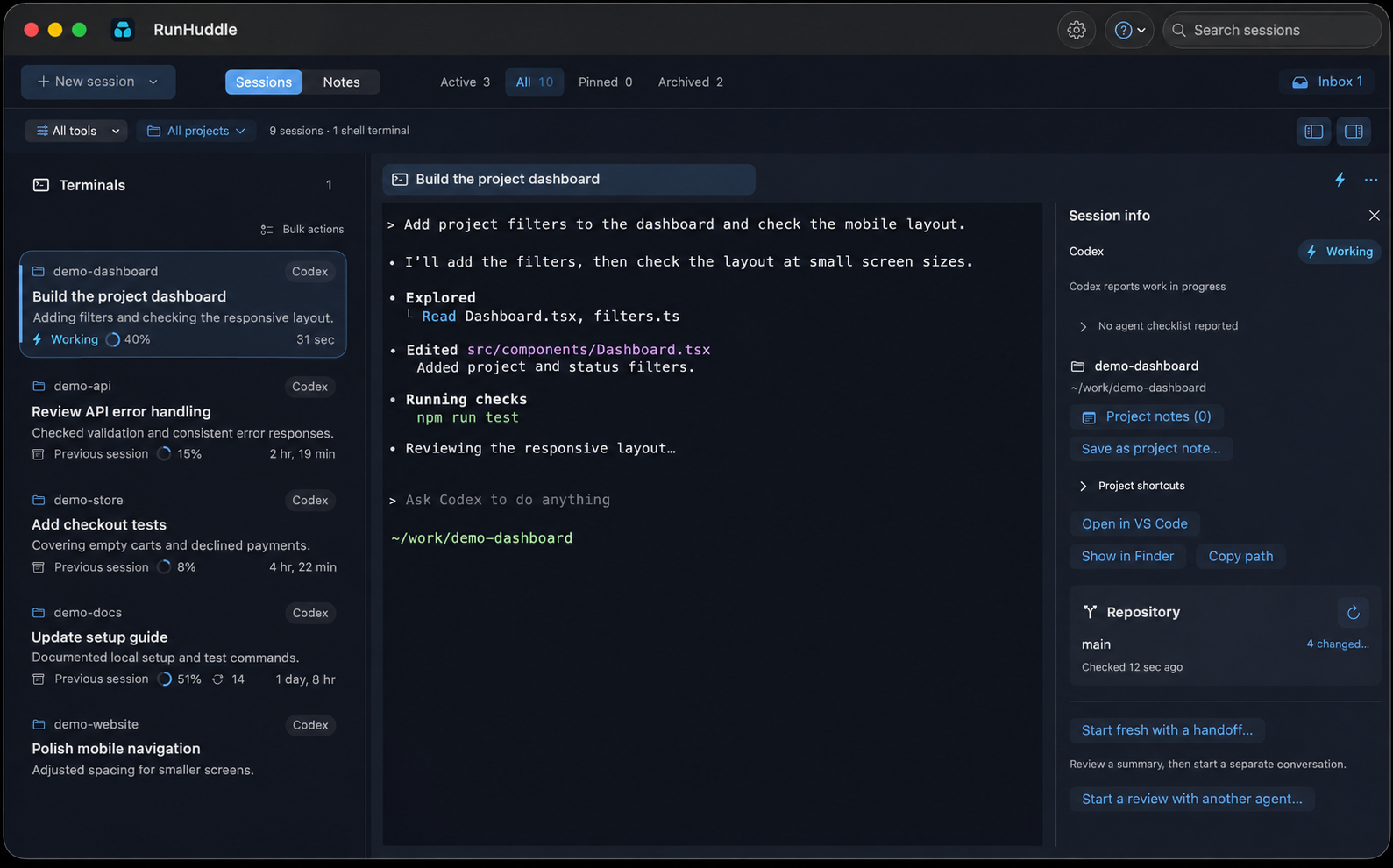
Start an agent in a project and work in its embedded terminal. Keep prompts, commands and approvals in the CLI you already use.
 RunHuddleby RootSignal
A native macOS app · Early preview
Keep your sessions, terminals and project context together.
Less hunting for the right window. More room to work.
Apple Silicon · macOS 14.0+ · v0.36.10 preview
Built-in integrations currently support these three agent CLIs. You can run other commands and CLIs in shell terminals, but they won’t automatically get session tracking, status, or resume support.Agent support details →
A place for the whole session
Start an agent in a project and work in its embedded terminal. Keep prompts, commands and approvals in the CLI you already use.
See working, idle and waiting sessions across projects. Filter the list, pin a session and return to the work that needs attention.
Save reusable project notes, review a handoff before starting fresh, or ask another agent to review project changes.
One shortcut away
Open the session switcher from the menu bar or your chosen keyboard shortcut. Search, select and jump back into your work.
Explore the workflow →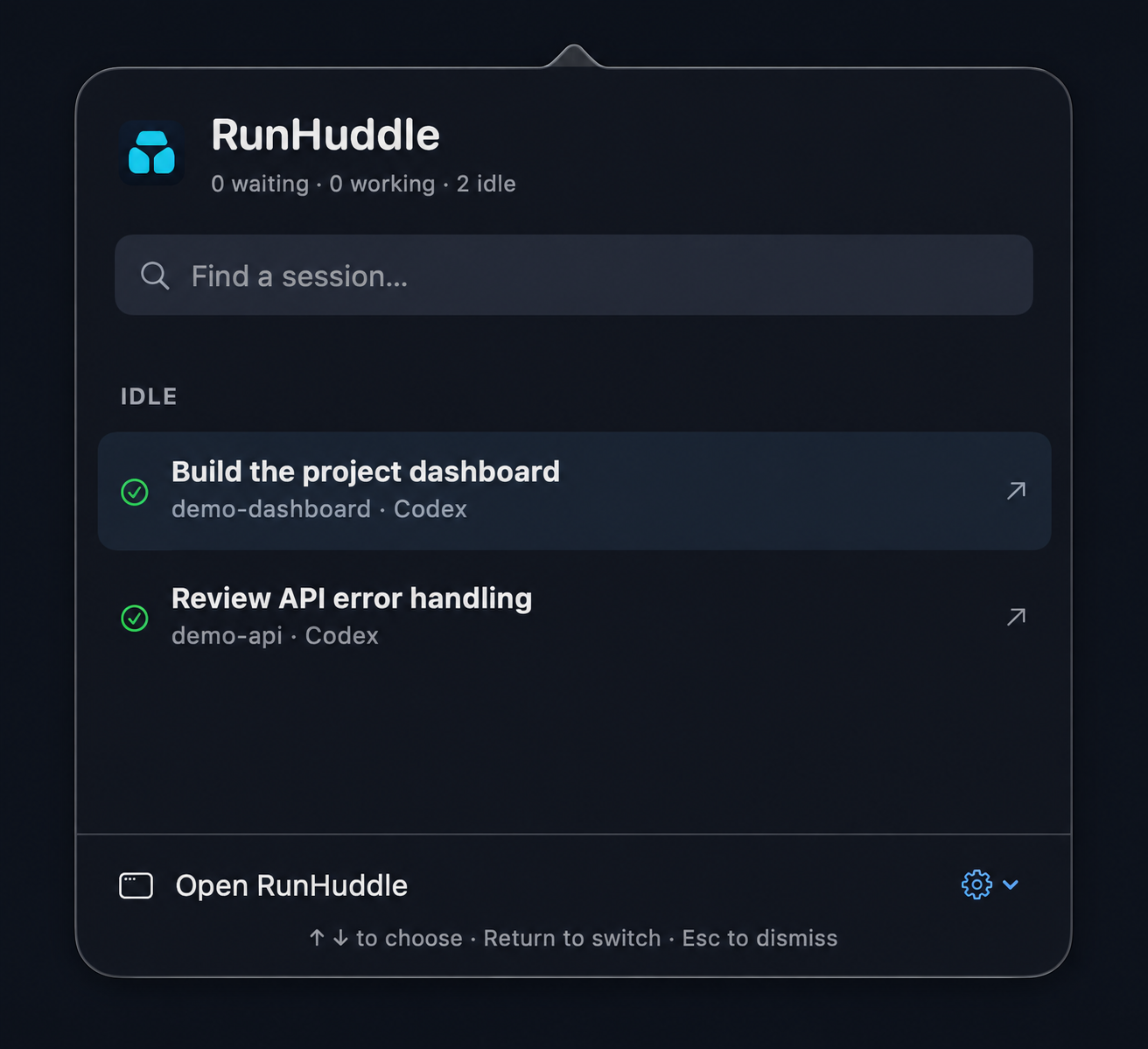
Made for your Mac
Download RunHuddle, open the disk image,
drag RunHuddle into Applications, then open it.
Version 0.36.10 preview · Apple Silicon · macOS 14.0+. Agent CLIs and accounts are installed separately.
Screenshots use example content. Features may vary by release; see release notes for this download. All releases ↗